
Discover
Discover






Discover
How do I list my property for sale on EdgeProp
24 views
1) Go to https://www.edgeprop.sg/listings
2) Login or Register with an Agent account. Only Agents can create listings on the EdgeProp website.
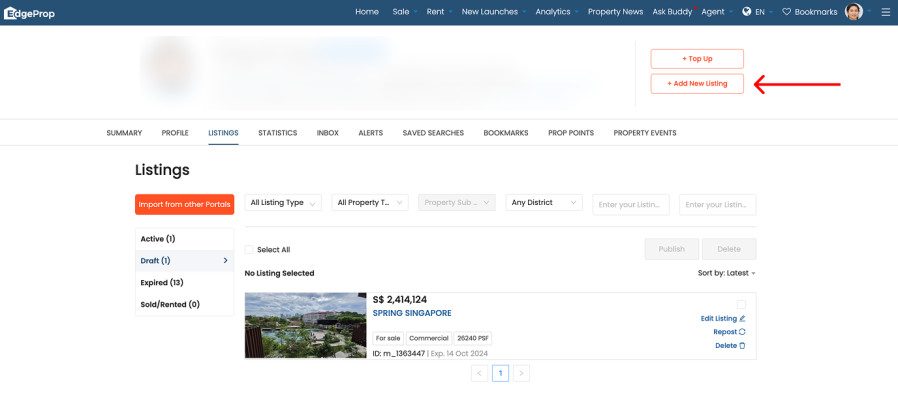
3) Click the “Add New Listing” button at the top right.
2) Login or Register with an Agent account. Only Agents can create listings on the EdgeProp website.
3) Click the “Add New Listing” button at the top right.
4) After your listing is created, you can search for your listing here.